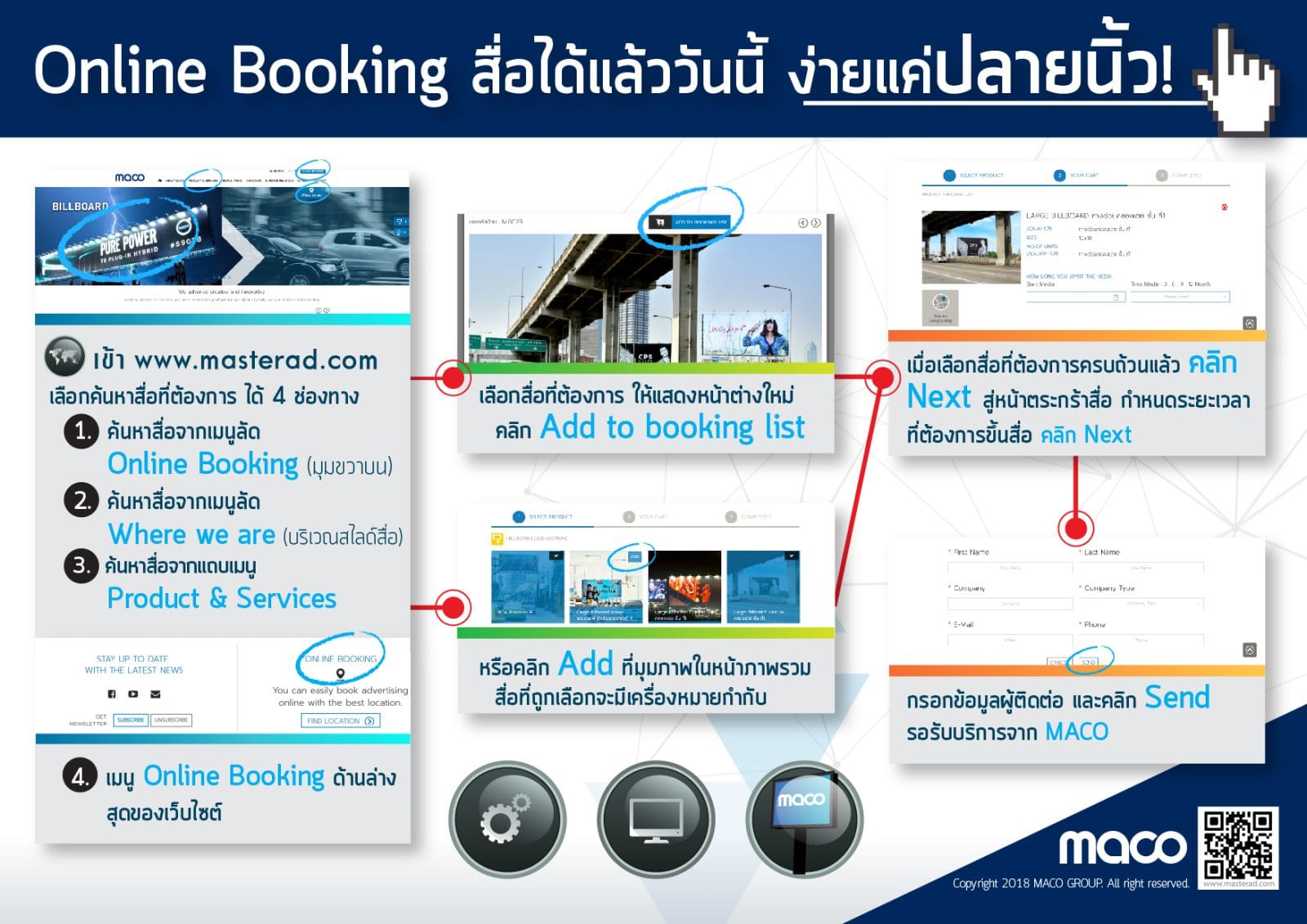
- Entering to www.masterad.com
- Searching the media that you want, it provides 4 options searching
- Search on the quick menu of Online Booking (Upper right corner on the web)
- Search on the quick menu of Where we are (On the right top of slide’s media ads)
- Search on menu bars of Product & Services
- Search on Online Booking (Under of webpage)
- Select the media that you want and open in new windows
- Click Add to booking list or Click Add on the corner of media ads pictures for showing the mark on its.
- After you selected all of media that you want, click Next to the basket
- Specified the date and time for showing the media and click to the Next step
- Fill your information and contract in the blank and click Send it for getting the services from the Company